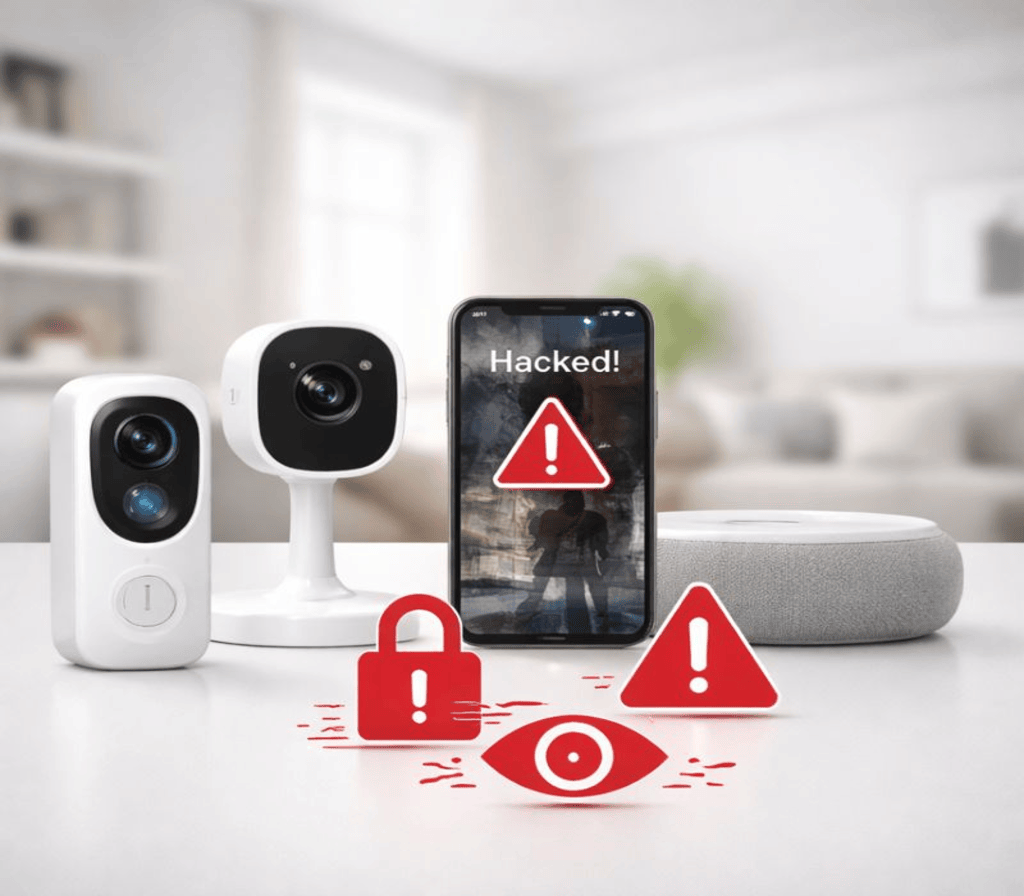
The promise of smart home security is undeniably appealing: peace of mind, remote monitoring, and advanced protection for your property. Yet, as our homes become increasingly connected, a new frontier of vulnerability emerges – our digital privacy. Many homeowners, eager to embrace the latest security gadgets, inadvertently make critical mistakes that expose their personal lives to potential risks, often without even realizing it.
This article delves into the most common smart home security mistakes that can compromise your privacy. We’ll explore everything from weak passwords to neglected software updates and the hidden dangers of public Wi-Fi. Understanding these pitfalls is the first step toward building a truly secure and private smart home. Learn more at TechToTable’s Smart Home Guides
1. The Peril of Weak Passwords and Default Credentials
This is the most fundamental and frequently overlooked security flaw. Just as a strong lock protects your physical home, robust passwords safeguard your digital one.
- The Mistake: Using simple, easily guessable passwords (e.g., “123456”, “password”), reusing passwords across multiple accounts, or, worse, leaving default manufacturer passwords unchanged. Many smart devices, from cameras to hubs, come with default login credentials that are widely known or easily discoverable online.
- The Risk: A weak or default password is an open invitation for hackers. Once they gain access to one smart device (like a camera or smart lock), they can potentially pivot to other devices on your network, gain unauthorized access to live video feeds, disarm your security system, or even access sensitive personal data.
- How to Avoid It:
- Strong, Unique Passwords: Use a complex combination of uppercase and lowercase letters, numbers, and symbols for every smart device and account.
- Password Manager: Employ a reputable password manager (e.g., LastPass, 1Password) to generate and store unique, strong passwords for you.
- Change Defaults IMMEDIATELY: Upon setting up any new smart device, the very first step should be to change its default username and password.
2. Neglecting Software and Firmware Updates
Smart devices are essentially miniature computers, and like any computer, they require regular updates to patch security vulnerabilities.
- The Mistake: Ignoring update notifications from manufacturers or disabling automatic updates. Many users view updates as an annoyance or worry they might disrupt functionality.
- The Risk: Software bugs and security loopholes are constantly discovered. Manufacturers release updates (firmware or software) to fix these vulnerabilities. An unpatched device is a known target for cybercriminals, who actively scan for devices running outdated, exploitable software. This could lead to unauthorized access, data theft, or even your devices being hijacked for malicious botnets.
- How to Avoid It:
- Enable Automatic Updates: Where possible, enable automatic firmware and software updates for all your smart devices.
- Regular Manual Checks: For devices without automatic updates, manually check for updates at least once a month.
- Stay Informed: Follow security news or manufacturer announcements for critical updates.
3. Exposing Devices to Public or Insecure Wi-Fi Networks
The convenience of remote access is a cornerstone of smart home security, but the method of connection is crucial.
- The Mistake: Connecting smart home devices to public Wi-Fi networks (e.g., at a coffee shop or airport, if you’re using a portable hub) or to an insecure home network.
- The Risk: Public Wi-Fi is inherently insecure. Any data transmitted can be intercepted by malicious actors. Even at home, an unencrypted or easily hackable Wi-Fi network (e.g., using WEP encryption or a weak password) leaves all connected devices vulnerable. Hackers can gain access to your network, intercept device communications, or even control devices directly.
- How to Avoid It:
- Secure Home Wi-Fi: Always use WPA2 or, preferably, WPA3 encryption for your home Wi-Fi network. Create a strong, unique password for your network.
- Guest Network for Smart Devices: Consider setting up a separate “guest” Wi-Fi network on your router and connecting your smart devices to it. This isolates them from your main network where sensitive data (laptops, phones) resides, providing an extra layer of defense.
- Avoid Public Wi-Fi: Never connect smart home security devices or access sensitive smart home apps over public Wi-Fi. If you must, use a Virtual Private Network (VPN).
4. Overlooking Camera Placement and Field of View
Smart cameras offer excellent security, but improper placement can inadvertently compromise privacy.
- The Mistake: Pointing indoor cameras into private areas (bedrooms, bathrooms), allowing outdoor cameras to capture neighboring properties excessively, or failing to secure live feeds.
- The Risk: If your camera feed is ever compromised (due to weak passwords or software vulnerabilities), private moments can be exposed. Furthermore, recording neighbors without their consent can lead to legal issues. Even with secure feeds, sharing access with too many people can create privacy loopholes.
- How to Avoid It:
- Strategic Placement: Avoid placing indoor cameras in highly private areas. Focus on entry points and common areas.
- Privacy Zones: Utilize privacy zone features on cameras that allow you to black out specific areas of the camera’s view that you don’t want recorded.
- Limit Access: Only grant live feed access to trusted individuals. Review and revoke access periodically.
- Local Storage (Optional): Consider cameras with local storage options (SD cards) in addition to or instead of cloud storage for highly sensitive areas.
5. Trusting Unreputable Brands and Ignoring Privacy Policies
The smart home market is booming, and not all manufacturers prioritize security and user privacy equally.
- The Mistake: Purchasing inexpensive, no-name smart devices from unknown brands without researching their reputation, security practices, or privacy policies.
- The Risk: Cheap devices may have insecure firmware, backdoors, or lax data handling practices. They might collect excessive personal data without transparency, potentially selling it to third parties. A compromised device from an unreputable brand may also receive no security updates, leaving it perpetually vulnerable.
- How to Avoid It:
- Research Brands: Stick to well-known, reputable smart home security brands with a proven track record of security and customer support.
- Read Privacy Policies: Take the time to understand what data an appliance collects, how it’s used, and whether it’s shared with third parties. If a policy is vague or concerning, avoid the product.
- Look for Certifications: Seek devices with recognized security certifications if available.
6. Lack of Network Segmentation (Flat Networks)
Many home networks are “flat,” meaning all devices are on the same network segment. This is a significant security risk for smart homes.
- The Mistake: Connecting all smart devices (security cameras, doorbells, smart TVs, personal computers, phones) to the same main Wi-Fi network.
- The Risk: If one vulnerable smart device is compromised, a hacker can easily “pivot” and gain access to all other devices on the same network segment, including your computers and smartphones where highly sensitive personal data resides.
- How to Avoid It:
- Guest Network: As mentioned earlier, use a separate guest Wi-Fi network specifically for your smart devices. This isolates them from your main personal network.
- VLANs (Advanced): For more advanced users, setting up Virtual Local Area Networks (VLANs) on a capable router can create even stronger segmentation, dedicating separate network segments for different types of devices (e.g., one for IoT, one for personal computers).
Conclusion: Privacy by Design
Smart home security offers unparalleled peace of mind, but it demands a proactive approach to privacy. By avoiding these common mistakes – prioritizing strong passwords, diligent updates, secure networks, thoughtful camera placement, reputable brands, and network segmentation – you can harness the power of smart security without inadvertently exposing your most personal information.
Building a secure smart home isn’t just about deterring intruders; it’s about safeguarding your digital life. Adopt a “privacy by design” mindset, and your smart home will truly be a sanctuary, both physically and digitally. Learn more at TechToTable’s Smart Home Guides.