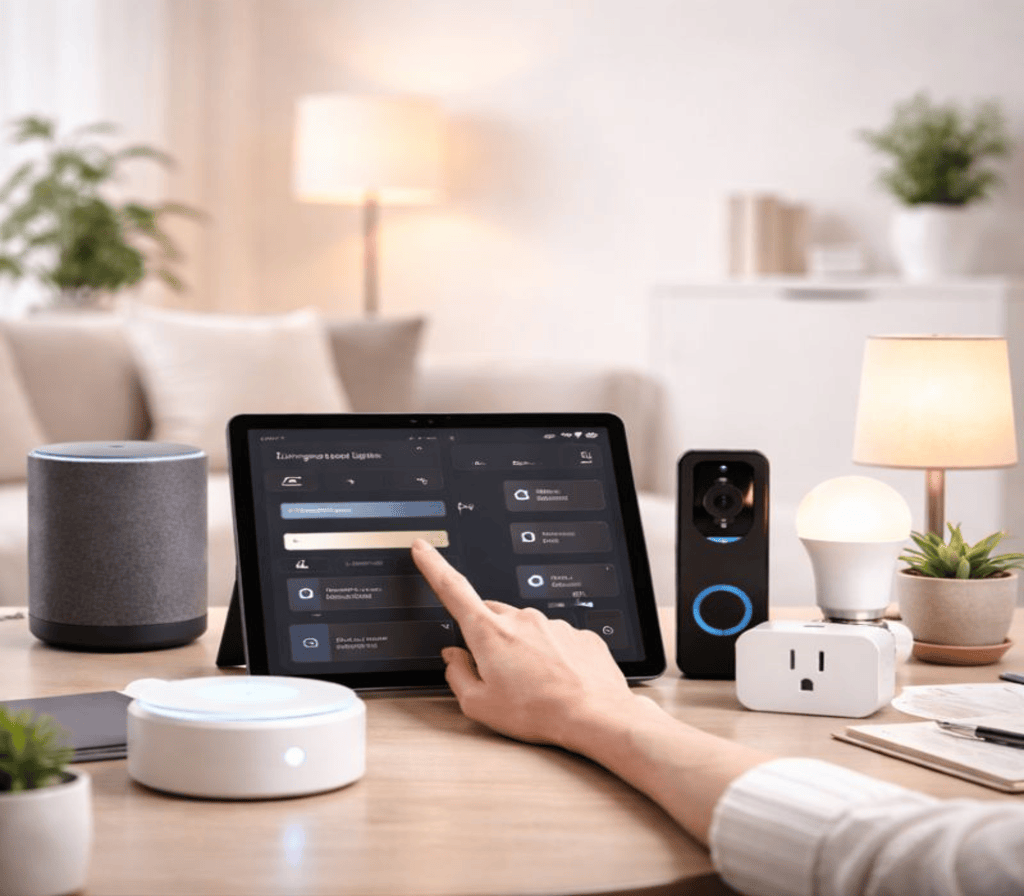
The idea of a “smart home” often conjures images of complex, futuristic setups seen in movies – a daunting prospect for anyone just beginning their journey into home automation. However, the reality in 2026 is far more accessible and user-friendly than ever before. Smart home technology has matured, offering intuitive solutions that can simplify daily life, enhance comfort, and even save energy without requiring an engineering degree.
If you’re curious about diving into smart home automation but feel overwhelmed by the sheer number of devices and platforms, this article is your ultimate beginner’s guide. We’ll demystify the process, highlight the best starting points, and help you lay a solid foundation for a truly intelligent home.
1. Define Your “Why”: What Problem Do You Want to Solve?
Before buying any gadgets, the most crucial first step is to identify your primary motivations. A smart home isn’t about collecting devices; it’s about solving real-world problems or enhancing specific aspects of your living experience.
- Convenience: Do you often forget to turn off lights? Wish you could control devices from bed?
- Security: Are you concerned about home safety when you’re away? Want to monitor your front door?
- Energy Savings: Are high utility bills a concern? Want to optimize heating/cooling or lighting?
- Accessibility: Do you need voice control or automated routines to assist with daily tasks?
- Entertainment: Want seamless control over your media setup?
Beginner’s Tip: Don’t try to automate everything at once. Pick one or two pain points you want to address. This focused approach will make your initial experience manageable and rewarding.
2. Choose Your Ecosystem: The Foundation of Your Smart Home
This is arguably the most critical decision for a beginner. Your chosen “ecosystem” acts as the central brain and language for all your smart devices. In 2026, the major players are:
- Apple HomeKit: Ideal for iPhone/iPad users who value strong privacy and a highly intuitive interface. Devices often carry a “Works with Apple HomeKit” badge.
- Google Home/Assistant: Excellent for Android users and those who heavily use Google services. Strong voice control with Google Assistant.
- Amazon Alexa: Widely compatible with a vast array of devices and known for its robust voice commands and routines.
- Samsung Smart Things: A versatile hub that supports many different protocols, good for those who want maximum device flexibility.
- Matter (The Game Changer): Launched in late 2022, Matter is a new universal standard that aims to make devices from different brands work together seamlessly, regardless of your chosen ecosystem. Look for “Matter-Certified” devices – they offer the best future-proofing and flexibility.
Beginner’s Tip: If you already own a smartphone or smart speaker, you might naturally lean towards that brand’s ecosystem for easier setup and familiarity. For example, if you have an iPhone and an Apple Watch, HomeKit might be the most seamless fit.
3. Start Small: Top 3 Entry Points for Beginners
Once you have your “why” and chosen ecosystem, it’s time to pick your first smart devices. Here are the most popular and impactful starting points for beginners:
a) Smart Lighting: Easy & Immediately Rewarding
- What it does: Replaces traditional light bulbs or switches, allowing you to control lights via an app, voice, or schedule.
- Why it’s great for beginners:
- High Impact: You interact with lights multiple times a day, so automation is immediately noticeable.
- Easy Installation: Smart bulbs simply screw into existing fixtures.
- Energy Savings: LEDs are inherently efficient, and automation prevents lights from being left on unnecessarily.
- Recommended First Buys:
- Smart Bulbs: Philips Hue (requires a hub, but robust), Sengled (often hub-less), Govee (great for ambiance).
- Smart Light Switches/Dimmers: Lutron Caséta (requires a hub, very reliable), Meross (Wi-Fi based).
b) Smart Plugs: Automate Anything That Plugs In
- What it does: Turns any “dumb” appliance into a smart one. Plug in a lamp, coffee maker, fan, or holiday lights, and control them with your phone or voice.
- Why it’s great for beginners:
- Inexpensive: Often available in multi-packs for a low cost.
- Versatile: Automate almost any small appliance.
- No Installation: Simply plug them into an outlet.
- Recommended First Buys: TP-Link Kasa, Amazon Smart Plug, Wyze Plug. Look for Matter-certified options for maximum compatibility.
c) Smart Speaker (with Voice Assistant): The Central Hub & Voice Control
- What it does: A smart speaker (like an Amazon Echo, Google Nest Mini, or Apple HomePod Mini) acts as your voice-controlled hub. It receives your commands and relays them to your other smart devices.
- Why it’s great for beginners:
- Intuitive Control: Voice commands are incredibly natural.
- Centralizes Control: Becomes the single point of contact for many devices.
- Information Hub: Beyond smart home control, it answers questions, plays music, sets timers, etc.
- Recommended First Buys: Amazon Echo Dot, Google Nest Mini, Apple HomePod Mini (if you’re deep in the Apple ecosystem).
4. Explore Basic Automation: Simple “If This, Then That” Rules
The real magic of a smart home begins with automation routines. Don’t be intimidated; start with simple “if this, then that” scenarios.
- Scheduling: “Turn on the living room lights at 6:00 PM.”
- Voice Commands: “Alexa, turn off all lights.”
- Presence Detection (Geofencing): “When I leave home, turn off the lights and lock the front door.” (Requires a smart lock and your phone’s location services).
- Timers: “Turn off the bedside lamp in 30 minutes.”
Beginner’s Tip: Most smart home apps have a dedicated “Routines,” “Automations,” or “Scenes” section. Experiment with simple schedules first to get comfortable.
5. Security & Privacy: Don’t Overlook the Essentials
As you connect more devices, security and privacy become paramount.
- Strong Passwords: Use unique, complex passwords for every smart device and your Wi-Fi network. Change default passwords immediately.
- Wi-Fi Security: Ensure your home Wi-Fi uses WPA2 or WPA3 encryption. Consider a separate “guest” network for your smart devices to isolate them from your main personal network.
- Updates: Enable automatic software/firmware updates for all your devices to patch security vulnerabilities.
- Privacy Policies: Understand what data your devices collect and how it’s used. Stick to reputable brands.
Beginner’s Tip: Prioritize security from day one. A compromised smart device can be an entry point for privacy breaches.
Conclusion: Your Journey to a Smarter Home Starts Now
Embarking on smart home automation doesn’t have to be a bewildering experience. By defining your needs, choosing a compatible ecosystem (especially looking for Matter-certified devices), starting with simple and impactful additions like smart lighting and plugs, and prioritizing security, you can build a smart home that truly enhances your daily life.
Remember, it’s a journey, not a destination. Start small, learn as you go, and gradually expand your smart home’s capabilities as you become more comfortable. The future of effortless living is within reach – and your smart home journey begins now.